Quick Start Guide
Start your cross-browser bookmark sync journey in just three simple steps.
Important Reminder
Please remember to back up your bookmarks manually before your first sync to ensure data safety.
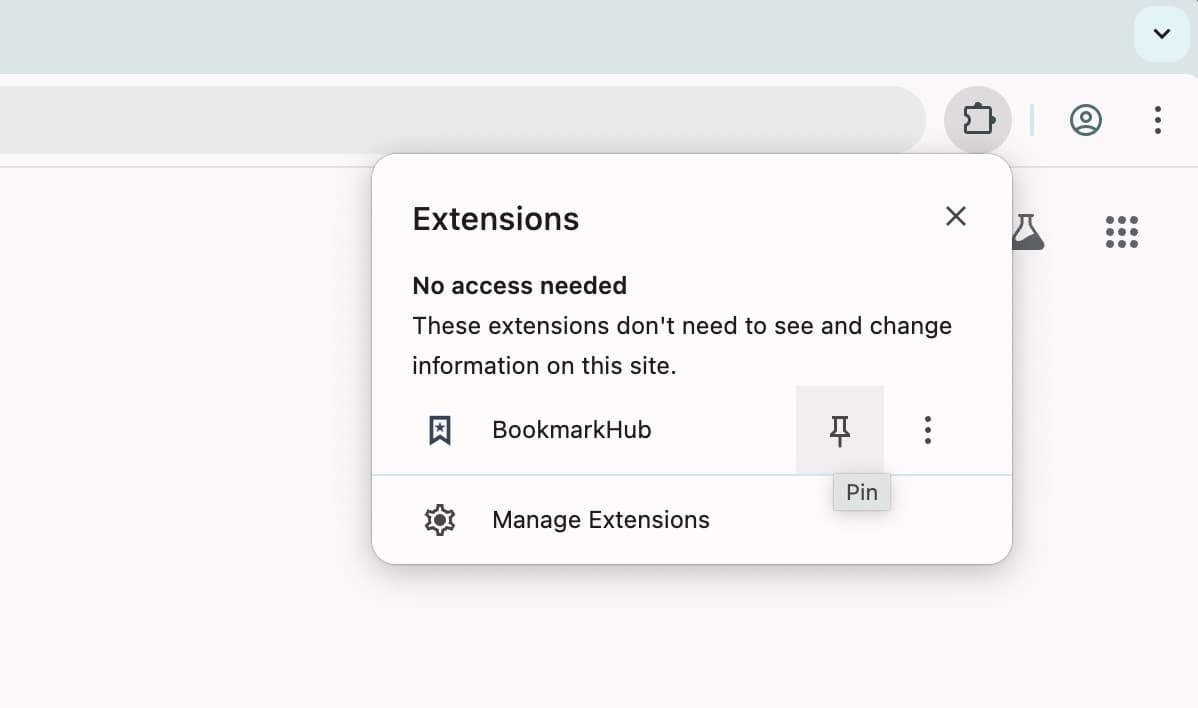
Step 1: Pin the Extension
For easy access and monitoring sync status, click the puzzles icon in the top right of your browser, find BookmarkHub, and click the pin icon.
Step 2: Configure Storage
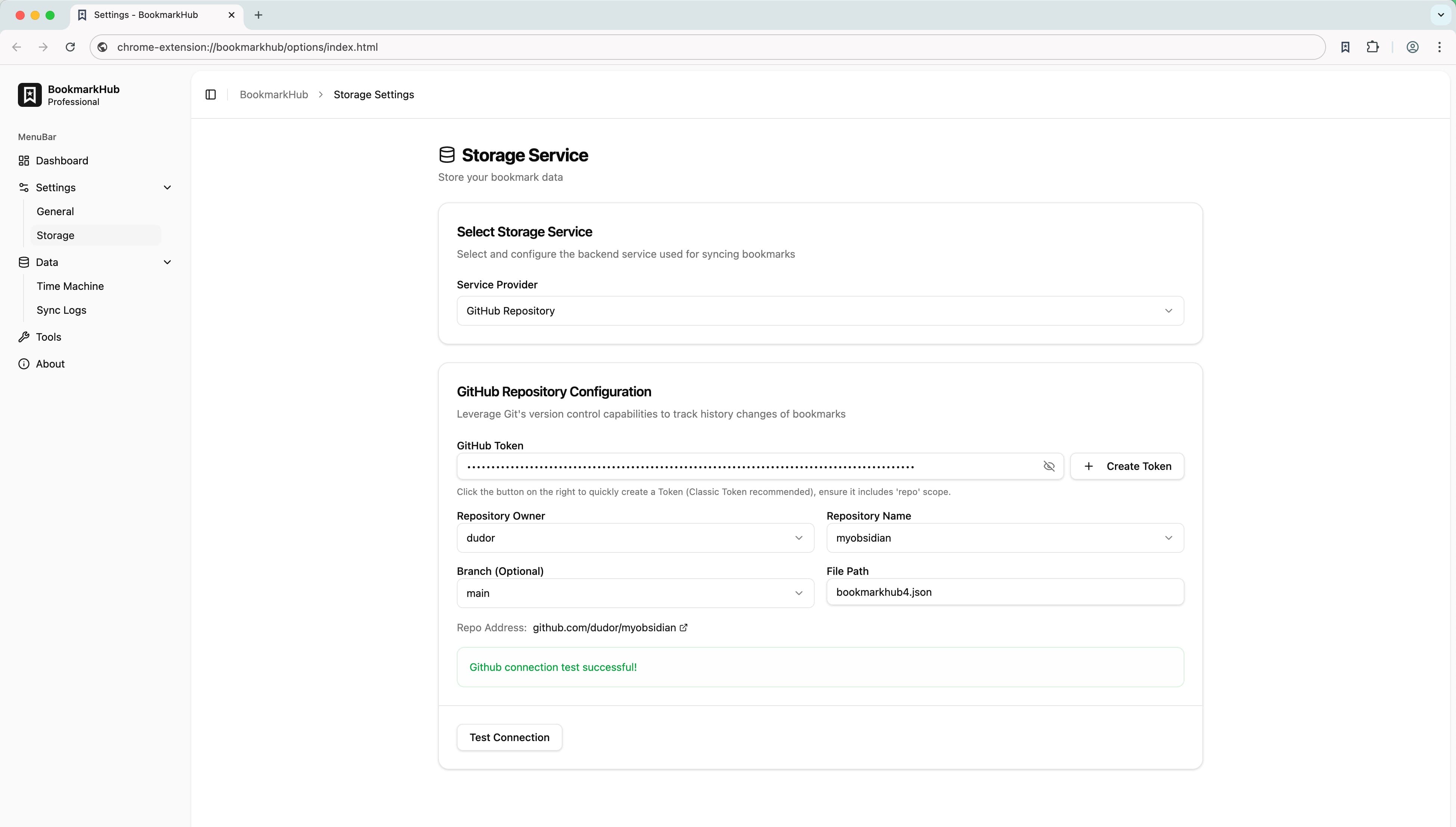
Go to settings, open storage settings, select GitHub, Gist or WebDAV, configure your parameters, and test the connection.
Step 3: Start Syncing
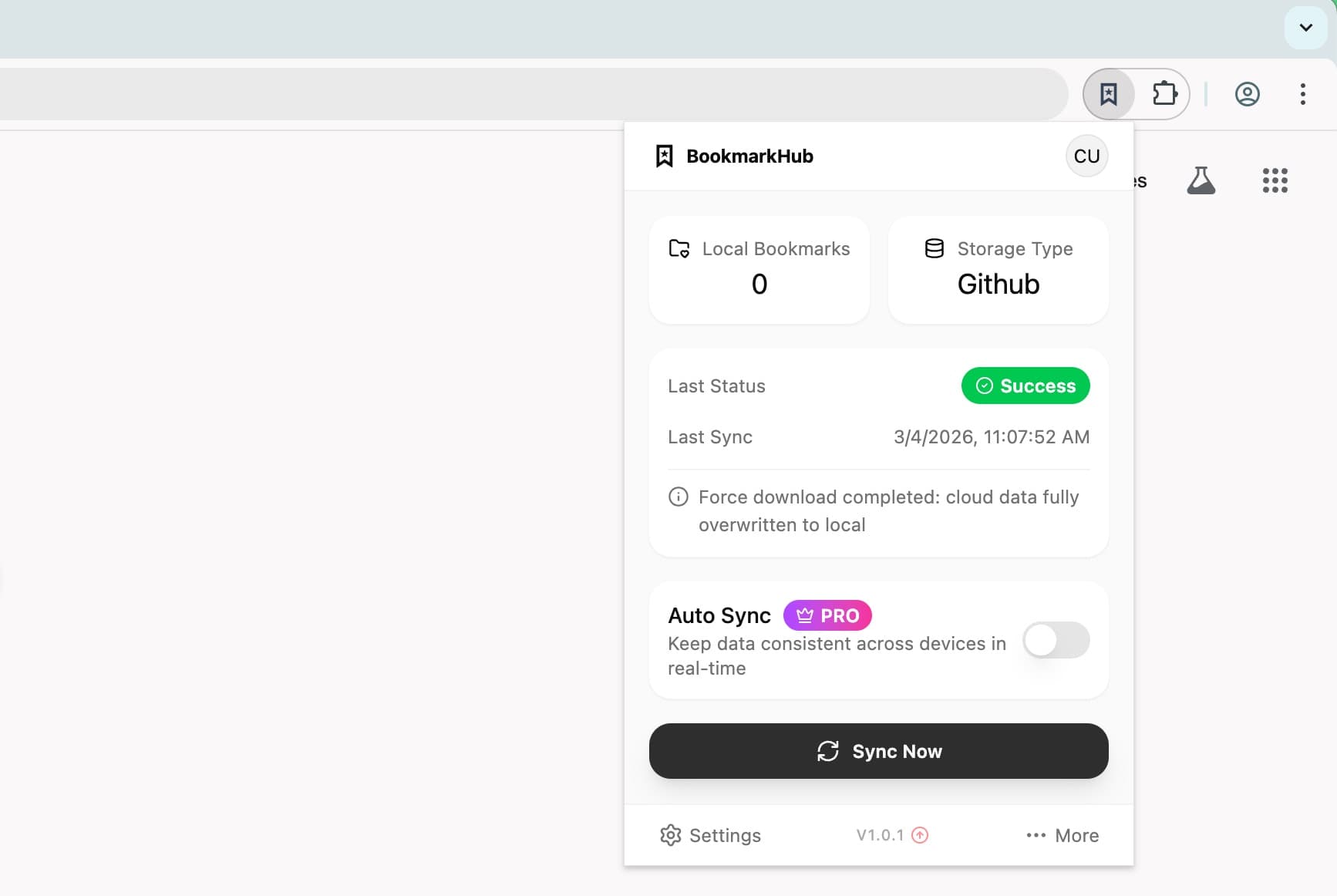
Open the extension and click 'Start Sync'. Your bookmarks will be securely synced to the cloud immediately.
Ready to boost your productivity?
Join thousands of users who trust BookmarkHub and make bookmark management simpler and more professional than ever.